How to Merge Ahrefs CSV Exports and Analyze Competitor Data
Ahrefs is great at collecting data. Not so great at letting you compare it across time periods, domains, or report types.
If you've ever exported Organic Keywords for three competitors across four months, you know the problem: 12 CSV files sitting in a folder, each useful on its own, useless together. You need to merge them into a single dataset before you can spot trends, run gap analyses, or build a report worth presenting.
This article covers three ways to merge Ahrefs CSVs — Python, browser tools, and Excel — along with the export prep that prevents headaches and three competitive analyses you can run once the data is merged.
3 Ways to Merge Multiple Ahrefs CSV Files
The right method depends on your comfort with code and whether your teammates need to run the same analysis.
| Method | Difficulty | Flexibility | Automation | Best for |
|---|---|---|---|---|
| Python + pandas | Medium | High | High | Developers and data-savvy SEOs who want full control |
| Browser tool | Easy | Medium | Medium | Teams that need no-code merge + pivot in one step |
| Excel Power Query | Medium | Medium | Medium | Excel-native teams who don't want another tool |
Method 1: Python + pandas
pandas is the go-to for most SEOs who write code. A few lines and you have a merged dataset. But there's a catch that trips up nearly everyone the first time.
The encoding trap
Ahrefs exports CSVs as UTF-16 with tab delimiters (as of this writing — verify with a fresh export if the code below produces garbled text). If you run pd.read_csv('file.csv') without specifying this, you'll get either garbled text or a UnicodeDecodeError. The fix:
import pandas as pd
import glob

files = glob.glob('ahrefs_exports/*.csv')

dfs = []
for f in files:
    df = pd.read_csv(f, encoding='utf-16', sep='\t')
    df['source_file'] = f  # track which file each row came from
    dfs.append(df)

merged = pd.concat(dfs, ignore_index=True)
merged.to_csv('merged_ahrefs.csv', index=False)
The source_file column is optional but useful — it lets you trace any row back to its original export, which matters when you're debugging unexpected values.
Going further: top keywords per URL
Once merged, you can extract the top-performing keywords for each URL:
top_keywords = (
    merged.sort_values('Traffic', ascending=False)
    .groupby('URL')
    .head(5)
    [['URL', 'Keyword', 'Traffic', 'Position']]
)
top_keywords.to_csv('top_keywords_by_url.csv', index=False)
Python's strength is flexibility. You can chain this with cron jobs or GitHub Actions to automate monthly reporting. The downside: if you're the only person on the team who can run the script, the analysis dies when you go on vacation.
Method 2: Browser Tool with Built-in Pivot
If writing Python isn't your thing — or you need something your non-technical teammates can use — browser-based CSV tools handle the merge and analysis in one place.
With a tool like LeapRows (disclosure: built by the author), the workflow looks like this. LeapRows processes files locally in the browser via WebAssembly — no data is uploaded to a server.
Step 1: Merge the CSVs
Drop your Ahrefs CSV files into the merge tool. Duplicate headers are stripped automatically. You can add a source column (file name) to keep track of which domain or export date each row belongs to.
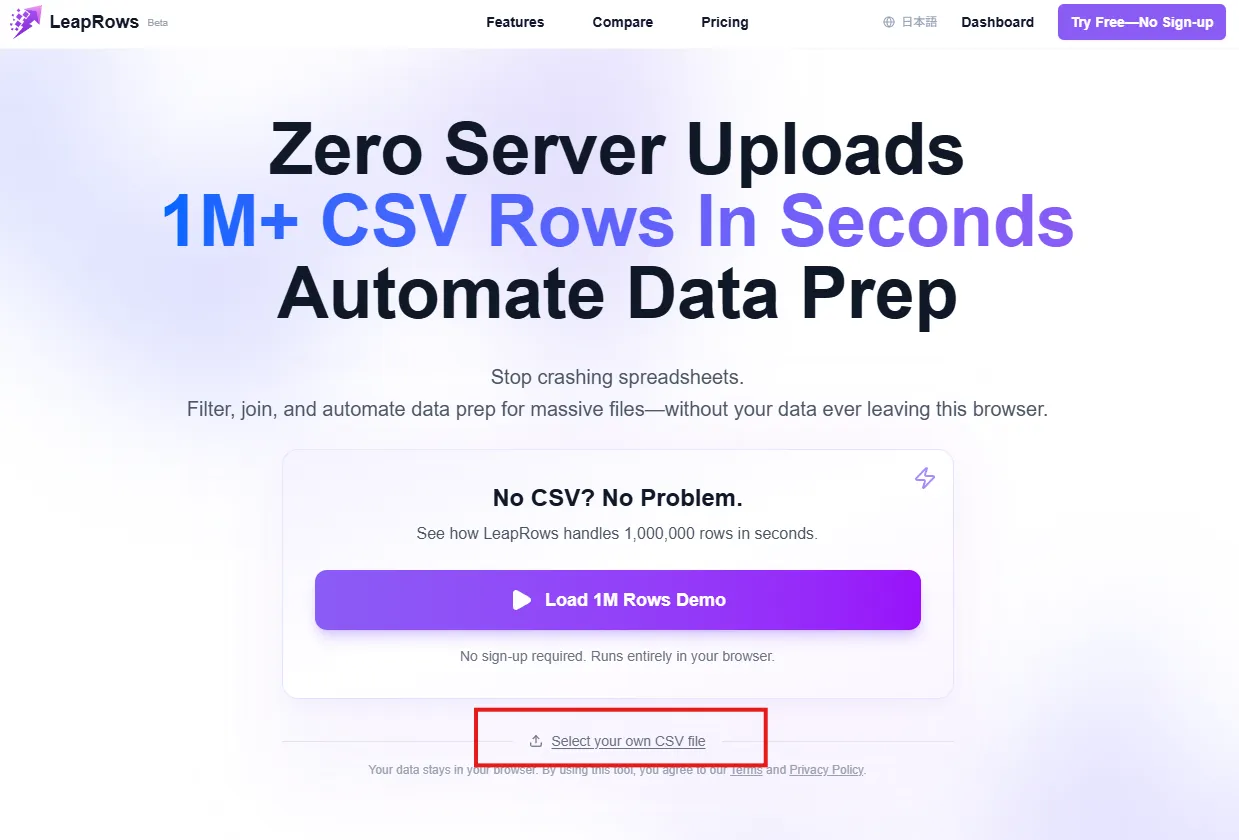
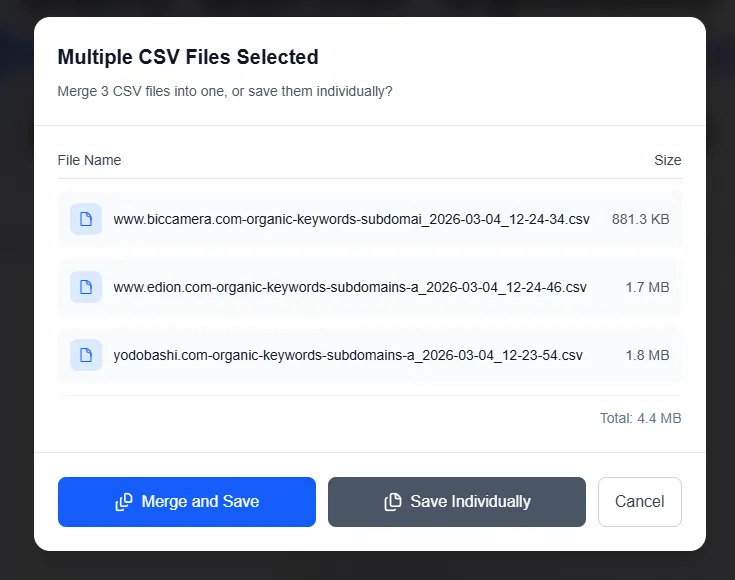
Select multiple Ahrefs CSV exports at once.

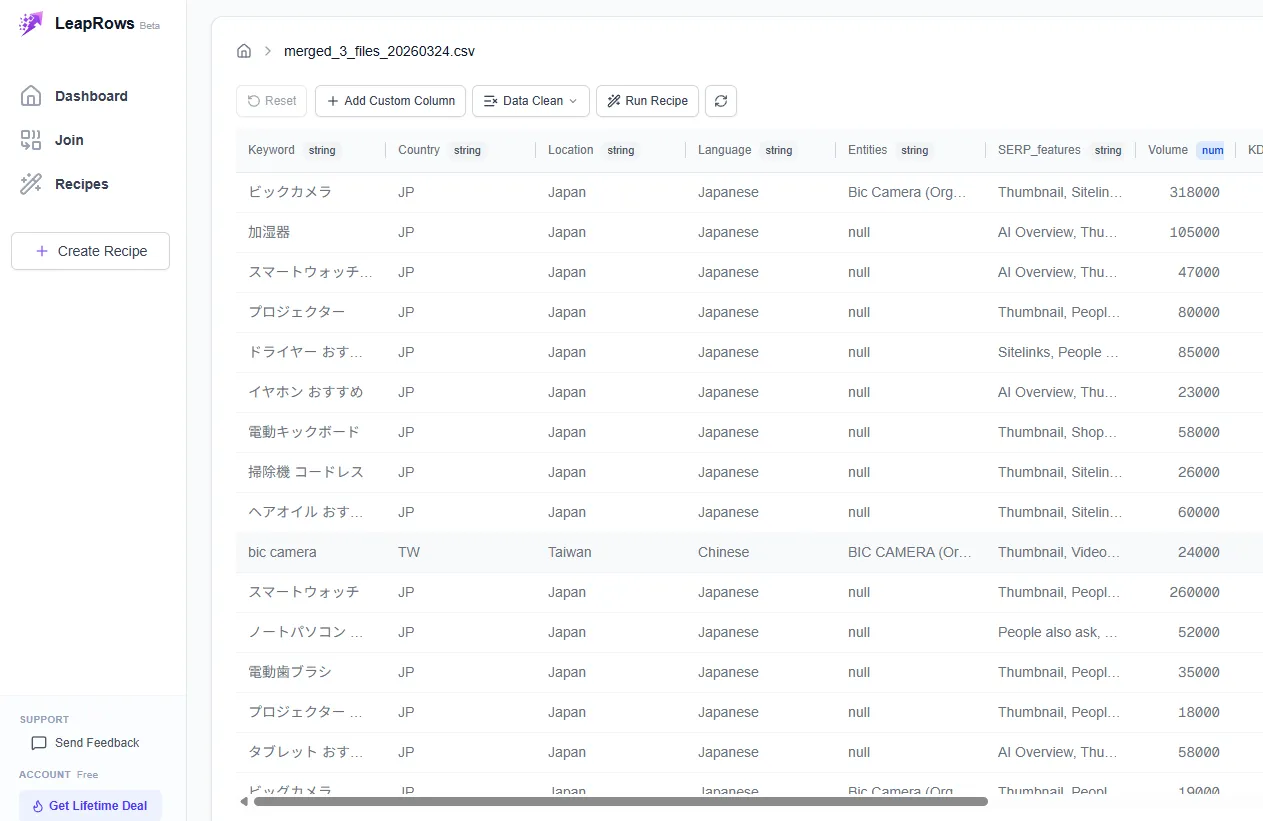
A merge dialog appears when multiple CSVs are detected — click "Merge and Save" to combine them.
All three CSVs are now merged into a single table.
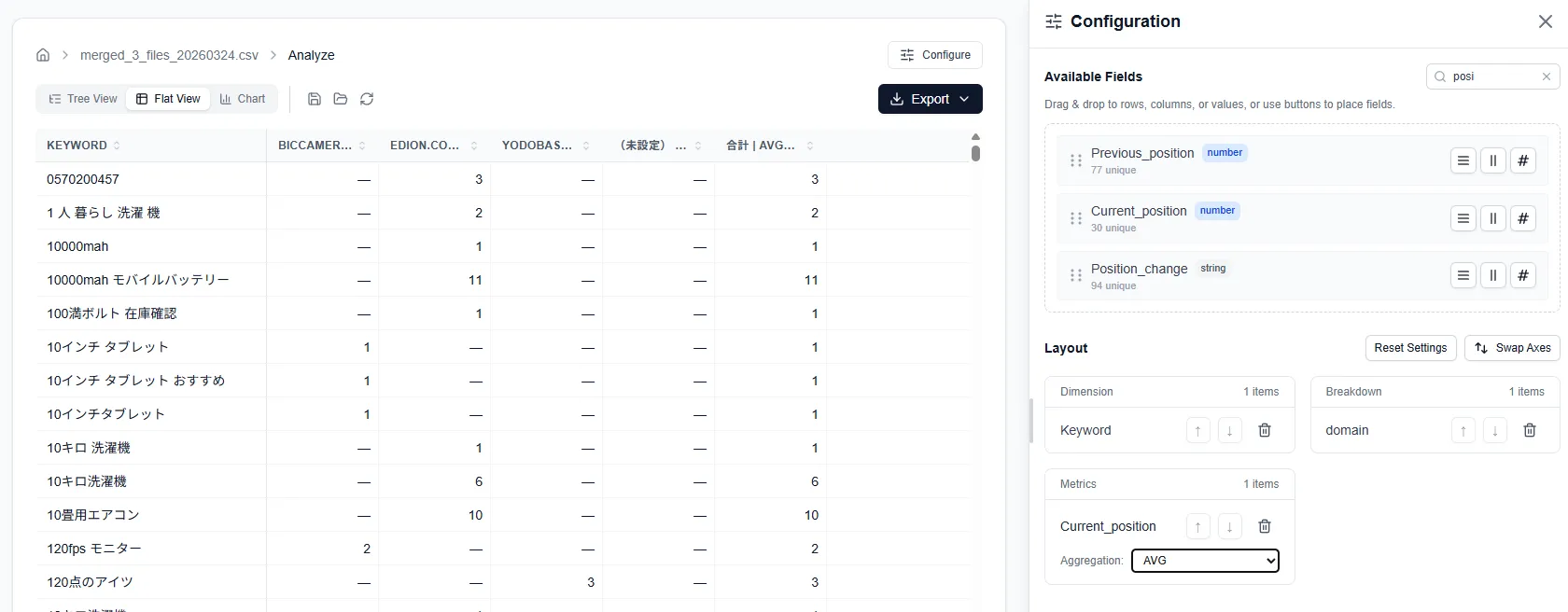
Step 2: Pivot the merged data
Switch to the analysis view and build a pivot table directly on the merged dataset:
- Rows: Keyword
- Columns: Domain or export date
- Values: Average Position, Sum of Traffic
Filters let you narrow down to keywords above a certain search volume, or positions within the top 20. The pivot updates in real time as you adjust settings.
Step 3: Export the results
Download the pivot table as CSV or Excel. Hand it to your team lead, paste it into a slide, or connect it to Looker Studio.
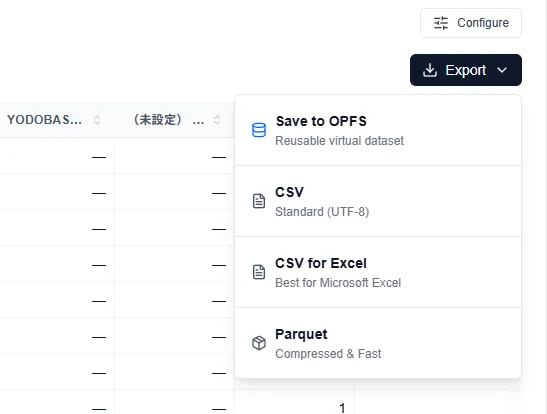
The big advantage here: everything happens in the browser — no installs, no environment setup, no data leaving your machine. The trade-off is less flexibility than Python for custom transformations.
Method 3: Excel Power Query
Power Query, built into Excel 2016 and later, can merge CSVs without add-ons.
Step-by-step:
- Data tab → Get Data → From File → From Folder: Point it at the folder containing your Ahrefs CSVs
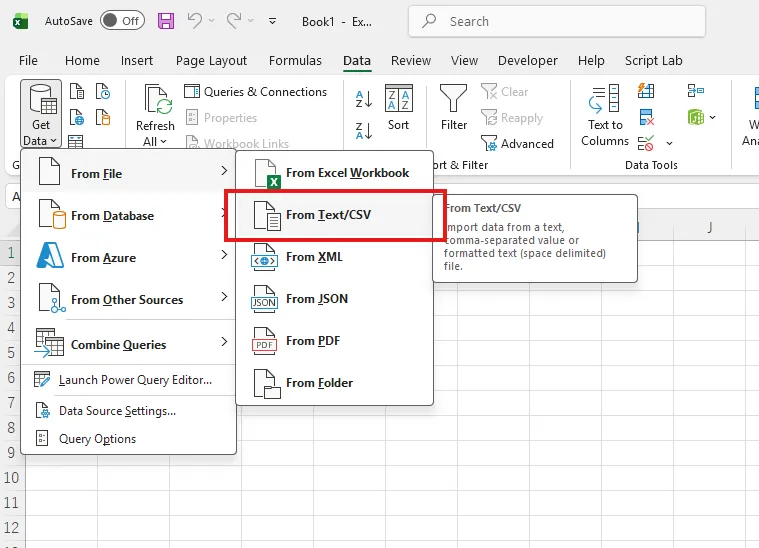
- Combine & Transform: Excel detects the CSV structure and stacks all files into one table
- Add a source column: Power Query automatically adds a
Source.Namecolumn showing which file each row came from - Clean up: Remove extra header rows, set column types (numeric, date, text)
- Load to pivot table: Close the editor and create a pivot table from the merged data
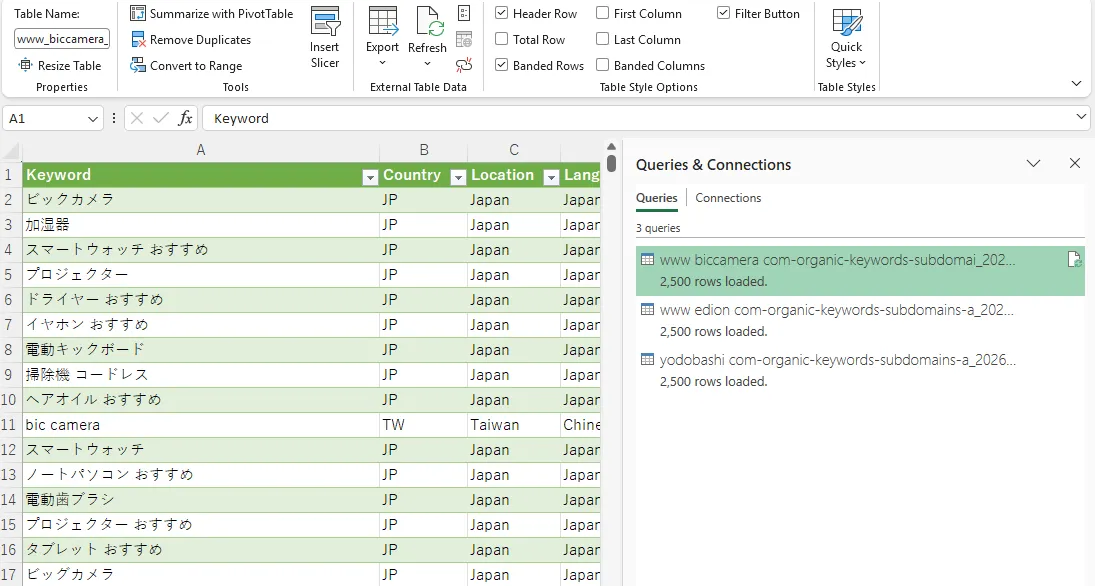
Power Query remembers your steps. Next month, drop the new CSVs into the same folder, hit "Refresh All," and the merge re-runs automatically.
The caveat: Excel has a hard limit of 1,048,576 rows. If your merged dataset exceeds that, you'll need to filter before loading — or use one of the other methods.
Ahrefs Export Prep — Get This Right Before You Merge
Merging is the easy part. The quality of your analysis depends on what you export and how you handle the files beforehand.
Choosing the Right Report Type
Ahrefs offers several exportable reports. Picking the wrong one means merging data that doesn't answer your question.
| Report | Key columns | Use it for |
|---|---|---|
| Organic Keywords | Keyword, Position, Volume, Traffic, URL | Keyword ranking trends, content gap analysis |
| Top Pages | URL, Traffic, Keywords count | Page-level performance comparison |
| Backlinks | Referring Page, DR, Anchor, Target URL | Link profile analysis, link intersect |
For competitive keyword analysis, Organic Keywords is almost always the right choice. For content strategy, Top Pages gives you a URL-level view. For link building, export Backlinks with a domain rating filter to keep the file manageable.
Row Limits and Silent Truncation
Every Ahrefs plan has an export row limit. The Lite plan caps at 2,500 rows per export. Standard and Advanced plans allow more, but there's still a ceiling.
The problem: there's no in-export banner that flags when your data has been cut off at the limit. The row count is visible if you check, but easy to miss. If your export has exactly 2,500 rows (or whatever your plan's limit is), assume the data is incomplete.
Two workarounds:
- Filter before exporting: Apply position, volume, or traffic filters in Ahrefs to reduce the dataset below the limit
- Split and merge: Export in chunks (e.g., positions 1–10, 11–20, 21–50) and merge them afterward
Always check the row count after export. If it matches your plan's limit exactly, you're missing data.
Data Corruption Risks When Opening in Excel
Ahrefs CSVs should not be opened directly in Excel. The following data damage can occur:
| Issue | Example | Impact |
|---|---|---|
| Volume commas mangled | 1,200 becomes text | No numeric calculations |
| Leading zeros lost | ID 0123 becomes 123 | Data mismatch |
| Date auto-conversion | 1-2 becomes Jan 2 | Data corruption |
Always use Power Query to import or a browser-based tool to upload — never double-click the CSV in Excel.
File Naming Conventions
When you're merging CSVs from multiple domains across multiple months, file names matter more than you'd think.
A naming pattern that works:
{domain}_{report-type}_{YYYY-MM-DD}.csv
Examples:
example-com_organic-keywords_2026-03-01.csvcompetitor-io_top-pages_2026-03-01.csv
Organize by domain or by date — pick one and stick with it:
ahrefs-exports/
├── example-com/
│   ├── organic-keywords_2026-01-01.csv
│   ├── organic-keywords_2026-02-01.csv
│   └── organic-keywords_2026-03-01.csv
└── competitor-io/
    ├── organic-keywords_2026-01-01.csv
    └── organic-keywords_2026-03-01.csv
This structure plays well with Python's glob patterns and Power Query's folder import. It also means you (or a teammate) can find the right file six months from now without guessing.
3 Competitive Analyses You Can Run with Merged Data
Merging CSVs is a means, not an end. Here's what to actually do with the combined dataset.
Keyword Position Tracking Over Time
The simplest and most common use case: how are keyword rankings changing across time?
Take Organic Keywords exports from the same domain, pulled monthly. Merge them, then pivot:
- Rows: Keyword
- Columns: Export month
- Values: Position (average)
- Filter: Volume > 500 (skip long-tail noise)
What to look for in the output:
- Rapid climbers: Keywords jumping 20+ positions in a month. The competitor likely published new content or gained significant links
- Steady decliners: Keywords dropping 3–5 positions each month. Could signal content decay or algorithm sensitivity
- Rank flips: Keywords where your position and a competitor's position swap. These are the ones worth investigating for content improvements
Traffic Trend Analysis by URL Group
Ahrefs' Top Pages report shows estimated traffic per URL. Merge exports across several months, then group URLs by pattern.
The grouping can be done by adding a category column — manually in a spreadsheet, or with a categorize/filter function in your tool. Common patterns:
/blog/→ Blog content/product/or/features/→ Product pages/docs/or/help/→ Documentation
Pivot by category × month with traffic as the value. This reveals where a competitor is investing: "Their blog traffic doubled in Q1 while product page traffic stayed flat" is the kind of insight that shapes your own content strategy.
Content Gap Analysis from Merged Exports
This is the analysis that makes merging CSVs worthwhile. Combine your Organic Keywords export with a competitor's, then find the gaps.
Setup: Merge two (or more) Organic Keywords exports. Add a "domain" column to distinguish the source. Pivot with Keyword as rows, Domain as columns, and Position as values.
Reading the results: Any keyword where your column is empty but the competitor's has a position value is a gap keyword — they rank for it, you don't.
Why do this via CSV merge instead of Ahrefs' built-in Content Gap tool?
- Multi-competitor comparison: Merge three or four competitors' exports and see gaps across all of them in one table
- Custom filtering: Apply your own volume, position, and traffic thresholds instead of Ahrefs' fixed options
- Exportable results: The gap list is already in CSV/Excel form, ready for your content calendar or task tracker
Automating Monthly Ahrefs Analysis
If you're running the same analysis every month — and you probably are — automating the merge-and-analyze step saves real time.
Save Your Workflow as a Reusable Template
Two approaches, depending on your tooling:
| Approach | Tool Type | Benefits | Trade-offs |
|---|---|---|---|
| Template-based | Browser tools | No code, team-accessible, repeatable | Tool-dependent, limited flexibility |
| Script-based | Python | Fully automated, customizable | Maintenance required, code literacy needed |
Template approach (browser tools): Some browser-based tools let you save a merge → filter → pivot workflow as a template. Next month, upload the new CSVs and the template re-applies the same analysis — no code, no re-configuration, and anyone on the team can run it. LeapRows (disclosure: built by the author) supports this workflow; verify that any other tool you're evaluating does too before building a recurring process around it.
Script approach (Python): Save your merge-and-analyze script as a .py file. Run it manually, or schedule it with cron or a CI/CD pipeline. More powerful, but requires someone who can read Python to maintain it.
The template approach wins on accessibility. The script approach wins on flexibility. For most SEO teams, the template is the better default — it's the one that actually gets used after the person who set it up moves on.
Sharing Results with Your Team
Analysis that stays on your laptop doesn't help anyone. Think about the output format from the start.
- CSV/Excel export: The simplest option. Email it, drop it in Slack, attach it to a Jira ticket
- BI dashboard: Connect the merged (flat) CSV to Looker Studio, Tableau, or Power BI for interactive charts. Update monthly by replacing the source file
- Slide-ready tables: Export the pivot table and paste directly into Google Slides or PowerPoint
The key is reproducibility. When someone asks "can you run last month's analysis but with updated data?", the answer should be "give me two minutes," not "let me remember how I did that."
Conclusion
Ahrefs CSVs are far more useful merged than separate. Combining exports across time periods and competitors unlocks analyses that the Ahrefs dashboard alone can't provide — keyword ranking trends, traffic shifts by content type, and multi-competitor gap reports.
- Pick a merge method that matches your team: Python for power users, browser tools for no-code accessibility (LeapRows — disclosure: built by the author — is one option), Excel Power Query for spreadsheet-native workflows
- Nail the export prep: Check row limits, use consistent file names, and handle UTF-16 encoding before it handles you
- Run the analysis that matters: Position tracking, traffic trends, and content gaps are the three highest-ROI analyses you can build from merged Ahrefs data
- Template everything: Whether it's a Python script or a saved workflow, make your analysis repeatable. Monthly SEO reporting shouldn't require monthly setup