What Is Parquet? CSV vs Parquet Comparison, Conversion Methods, and Viewer Tools
If you've ever waited minutes for a large CSV to load, Parquet is worth a look. It stores data by column instead of by row, which makes files dramatically smaller and queries several times faster.
For example, a sample sales dataset with 1 million rows and 9 columns comes in at 163 MB as CSV. Convert it to Parquet and it drops to around 3.9 MB — roughly 1/40 the size.

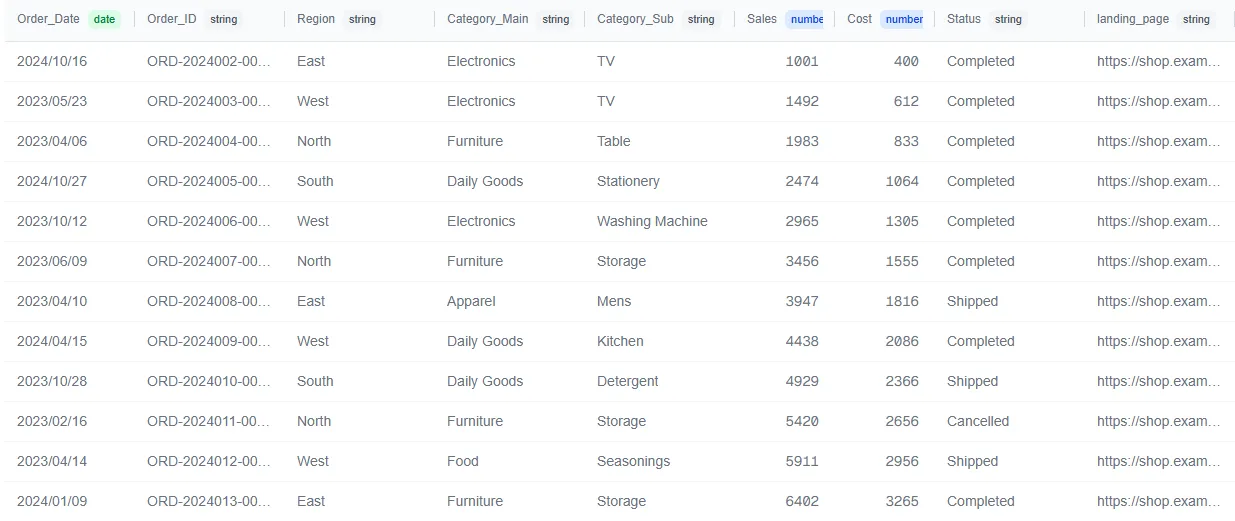
This article walks through how Parquet differs from CSV, why it's faster, how to convert between the two, and how to inspect Parquet files without writing code.
What Is Apache Parquet? Overview and Pronunciation
Apache Parquet (pronounced "par-KAY") is an open-source columnar storage format managed by the Apache Software Foundation. It was originally developed by Twitter and Cloudera in 2013, based on the data layout described in Google's Dremel paper.
Parquet has become the de facto standard for analytical data for three reasons:
- Cloud analytics platforms support it natively — Amazon Athena, Google BigQuery, Azure Synapse, Databricks, and Snowflake all read Parquet natively
- Language-agnostic — libraries exist for Python (pandas/pyarrow), R (arrow), Java, Rust, and Go
- Solves CSV's structural weaknesses — no type information, poor compression, and no column-selective reads are all addressed at the format level
The file extension is .parquet. Because it's a binary format, you can't open it in a text editor (viewer tools are covered later in this article).
The Key Difference Between CSV and Parquet — Row-Oriented vs Column-Oriented
The biggest difference is how data is physically laid out on disk.
How CSV Stores Data (Row-Oriented)
CSV is row-oriented. Each row of data is written sequentially, left to right:
name,age,department,salary
Tanaka,30,Sales,450000
Sato,25,Engineering,500000
Suzuki,35,Sales,480000
To read just the age column, the reader must scan every row from top to bottom, split each line by commas, and extract the second field. With a 100-column CSV, you still read all 100 columns even if you only need one. Processing time grows proportionally with data volume.
How Parquet Stores Data (Column-Oriented)
Parquet is column-oriented. Values from the same column are stored together:
[name]:       Tanaka, Sato, Suzuki, ...
[age]:        30, 25, 35, ...
[department]: Sales, Engineering, Sales, ...
[salary]:     450000, 500000, 480000, ...
To read the age column, the reader jumps directly to the age block and reads nothing else. The other columns are never touched.
Most filtering and aggregation operations only need a handful of columns. The "read only what you need" design is the foundation of Parquet's speed and size advantages.
Parquet vs CSV: Speed and Size Differences (With Benchmarks)
The row-vs-column difference shows up clearly in real-world measurements.
Comparing Query Efficiency: "Calculate Average Age"
Imagine computing the average age across 1 million employee records with 100 columns.
With CSV: The reader loads the entire file, splits every row by delimiter, extracts the age field, parses it from string to number, then computes the average. All 100 columns are read from disk, even though 99 of them are irrelevant.
With Parquet: The reader jumps to the age column block, reads binary-encoded integers directly, and computes the sum. The other 99 columns are never read from disk.
The gap widens as column count increases. With 5 columns, the difference is modest. With 50 or 100 columns, Parquet's advantage becomes dramatic.
Real Benchmarks: pandas + pyarrow on NYC Taxi Data
To measure the actual difference, the NYC Yellow Taxi Trip Records dataset (January–February 2025, two months merged) was benchmarked using pandas + pyarrow.
The two monthly Parquet files were merged using the file-merge feature in LeapRows (disclosure: built by the author).
Python benchmark code (click to expand)
import os
import time
from pathlib import Path

import pandas as pd
from tabulate import tabulate

# pip install pandas pyarrow tabulate

INPUT_CSV     = "./yellow_taxi_202501-2025-02.csv"
INPUT_PARQUET = "./yellow_taxi_202501-2025-02.parquet"

TARGET_COLUMNS = ["trip_distance", "fare_amount", "tip_amount", "total_amount"]
AGG_COLUMN   = "fare_amount"
GROUP_COLUMN = "passenger_count"
N_TRIALS = 3


def measure(func, n=N_TRIALS):
    """Run n times, return (result, min_time, avg_time) in seconds."""
    times = []
    for _ in range(n):
        start = time.perf_counter()
        result = func()
        times.append(time.perf_counter() - start)
    return result, min(times), sum(times) / len(times)


def file_size_mb(path):
    return os.path.getsize(path) / (1024 ** 2)


def main():
    csv_mb = file_size_mb(INPUT_CSV)
    pq_mb  = file_size_mb(INPUT_PARQUET)
    print(f"CSV: {csv_mb:.1f} MB / Parquet: {pq_mb:.1f} MB")

    # Column-selective read
    _, csv_col_min, csv_col_avg = measure(
        lambda: pd.read_csv(INPUT_CSV, usecols=TARGET_COLUMNS))
    _, pq_col_min, pq_col_avg = measure(
        lambda: pd.read_parquet(INPUT_PARQUET, columns=TARGET_COLUMNS, engine="pyarrow"))
    print(f"Column read - CSV: {csv_col_min:.3f}s / Parquet: {pq_col_min:.3f}s")

    # Aggregation query
    _, csv_agg_min, csv_agg_avg = measure(lambda: (
        pd.read_csv(INPUT_CSV, usecols=[GROUP_COLUMN, AGG_COLUMN])
          .groupby(GROUP_COLUMN)[AGG_COLUMN].agg(["mean", "sum"])))
    _, pq_agg_min, pq_agg_avg = measure(lambda: (
        pd.read_parquet(INPUT_PARQUET, columns=[GROUP_COLUMN, AGG_COLUMN], engine="pyarrow")
          .groupby(GROUP_COLUMN)[AGG_COLUMN].agg(["mean", "sum"])))
    print(f"Aggregation - CSV: {csv_agg_min:.3f}s / Parquet: {pq_agg_min:.3f}s")


if __name__ == "__main__":
    main()
File Size
| Format | Size | Improvement |
|---|---|---|
| CSV | 704.8 MB | — |
| Parquet | 103.1 MB | ~6.8x smaller |
The same dataset, converted to Parquet, shrinks to roughly one-seventh the original size.
Column-Selective Read Speed (best of 3 runs)
Target columns: trip_distance, fare_amount, tip_amount, total_amount
| Format | Best | Average | Improvement |
|---|---|---|---|
| CSV | 3.800s | 3.858s | — |
| Parquet | 0.118s | 0.374s | ~32x faster |
Extracting 4 columns from a 19-column dataset, Parquet was about 32x faster. CSV reads all 19 columns before filtering; Parquet reads only the 4 blocks needed.
Aggregation Query Speed (best of 3 runs)
Query: mean and sum of fare_amount grouped by passenger_count
| Format | Best | Average | Improvement |
|---|---|---|---|
| CSV | 3.534s | 3.556s | — |
| Parquet | 0.200s | 0.202s | ~18x faster |
Summary
| Metric | CSV | Parquet | Improvement |
|---|---|---|---|
| File size | 704.8 MB | 103.1 MB | ~6.8x smaller |
| Column read (best) | 3.800s | 0.118s | ~32x faster |
| Aggregation (best) | 3.534s | 0.200s | ~18x faster |
The file size reduction is especially significant for services like AWS Athena that charge per byte scanned — converting to Parquet cuts both query time and query cost in one step.
4 Reasons Parquet Is So Much Faster and Smaller
The speed and size gaps above come from four design properties.
Column Pruning — Read Only the Columns You Need
Because data is physically grouped by column, query engines can skip irrelevant columns entirely. This is called column pruning.
| Scenario | CSV | Parquet | I/O Reduction |
|---|---|---|---|
| SELECT 3 of 100 columns | Reads all 100 | Reads only 3 | 97% |
That's a 97% reduction in disk I/O.
Compression — Same-Type Values Compress Better
A single CSV row mixes strings, integers, and floats. Mixed data compresses poorly.
Parquet groups values of the same type together. A department column with repeating values like "Sales, Sales, Engineering, Sales, ..." benefits from dictionary encoding, where each unique value is stored once and referenced by short codes. Numeric columns benefit from run-length encoding.
| Codec | Speed | Compression | Best For |
|---|---|---|---|
| Snappy | Fast | Moderate | Balanced |
| Gzip | Slow | High | Size optimization |
| Zstd | Moderate | High | Balanced approach |
Metadata — A "Table of Contents" at the End of the File
The footer of every Parquet file contains statistics for each column: min value, max value, null count, and more.
When executing WHERE age > 50, the query engine reads the footer first. If a row group's age column has max = 45, the entire row group is skipped without reading any data. This is called predicate pushdown.
Skipping irrelevant row groups before opening them makes large-scale aggregations significantly faster.
Embedded Schema — Zero Type-Conversion Overhead
CSV stores everything as text. "30" could be a number or a string — the file doesn't say. Readers must infer types and parse strings into native types on every load.
Parquet embeds a schema with explicit types: INT32, DOUBLE, UTF8, etc. Data is stored in binary, so no parsing or type inference is needed at read time.
On multi-million-row files, the difference in type-conversion overhead is measurable.
"I Can't See Inside!" How to Open and Inspect Parquet Files
Parquet is binary, so you can't open it in Excel or a text editor. This is the most common complaint when people first switch from CSV. The good news: dedicated tools make Parquet just as easy to inspect.
GUI Viewers (Tad / ParquetViewer)
| Tool | View Style | Platforms | Key Feature |
|---|---|---|---|
| Tad | Excel-like table | Windows/macOS/Linux | Fast columnar engine |
| ParquetViewer | Column selection | Windows | Load selected columns only |
Both are free and support drag-and-drop.
VS Code Extensions
If you prefer to stay in your editor:
- Data Wrangler (Microsoft official): displays Parquet as a sortable, filterable table inside VS Code
- parquet-viewer: converts Parquet to JSON for a lightweight preview
Click a .parquet file in the Explorer panel and the content appears instantly.
Command Line (DuckDB CLI)
For quick schema and statistics checks, DuckDB CLI is the most straightforward option. It reads Parquet natively with zero extra dependencies:
-- Check schema
DESCRIBE SELECT * FROM 'data.parquet';

-- Preview first 5 rows
SELECT * FROM 'data.parquet' LIMIT 5;

-- Inspect metadata
SELECT * FROM parquet_metadata('data.parquet');
Install with Homebrew (brew install duckdb), Chocolatey, or download the binary from the official site.
Other CLI tools like parquet-tools also exist, but package names and command syntax vary across versions. DuckDB CLI is the safest default.
3 Ways to Convert CSV to Parquet (Comparison Table)
| Method | Difficulty | Flexibility | Best For |
|---|---|---|---|
| Python (pandas) | ★★ | High | Schema control and batch pipelines |
| Browser-based tool | ★★★ | Low | One-off conversions, no coding required |
| Cloud ETL service | ★ | Very high | Large-scale data pipelines |
Python (pandas + pyarrow)
If you have a Python environment, three lines are all you need:
pip install pandas pyarrow
import pandas as pd

# CSV → Parquet
df = pd.read_csv('data.csv')
df.to_parquet('data.parquet', engine='pyarrow', compression='snappy')

# Parquet → read (specific columns only)
df = pd.read_parquet('data.parquet', columns=['name', 'age'])
The compression parameter controls the codec: snappy prioritizes speed (fast read/write, recommended for most cases), gzip prioritizes size (higher compression, slower writes), and zstd is balanced. Default behavior may vary across pandas and pyarrow versions, so specifying explicitly is recommended.
For fine-grained schema control or splitting large files, use the pyarrow API directly:
import pyarrow as pa
import pyarrow.parquet as pq
import pyarrow.csv as pa_csv  # aliased to avoid shadowing Python's built-in csv module

# Read CSV
table = pa_csv.read_csv('data.csv')

# Write Parquet (with row group size)
pq.write_table(table, 'data.parquet', row_group_size=100000)
Browser-Based Tool (No Coding Required)
For one-off conversions without a programming environment, browser-based tools are the fastest path.
LeapRows (disclosure: built by the author) converts CSV to Parquet with drag-and-drop. Data is processed entirely in the browser using WebAssembly and never sent to a server. No Python or software installation required — download the resulting Parquet file directly.
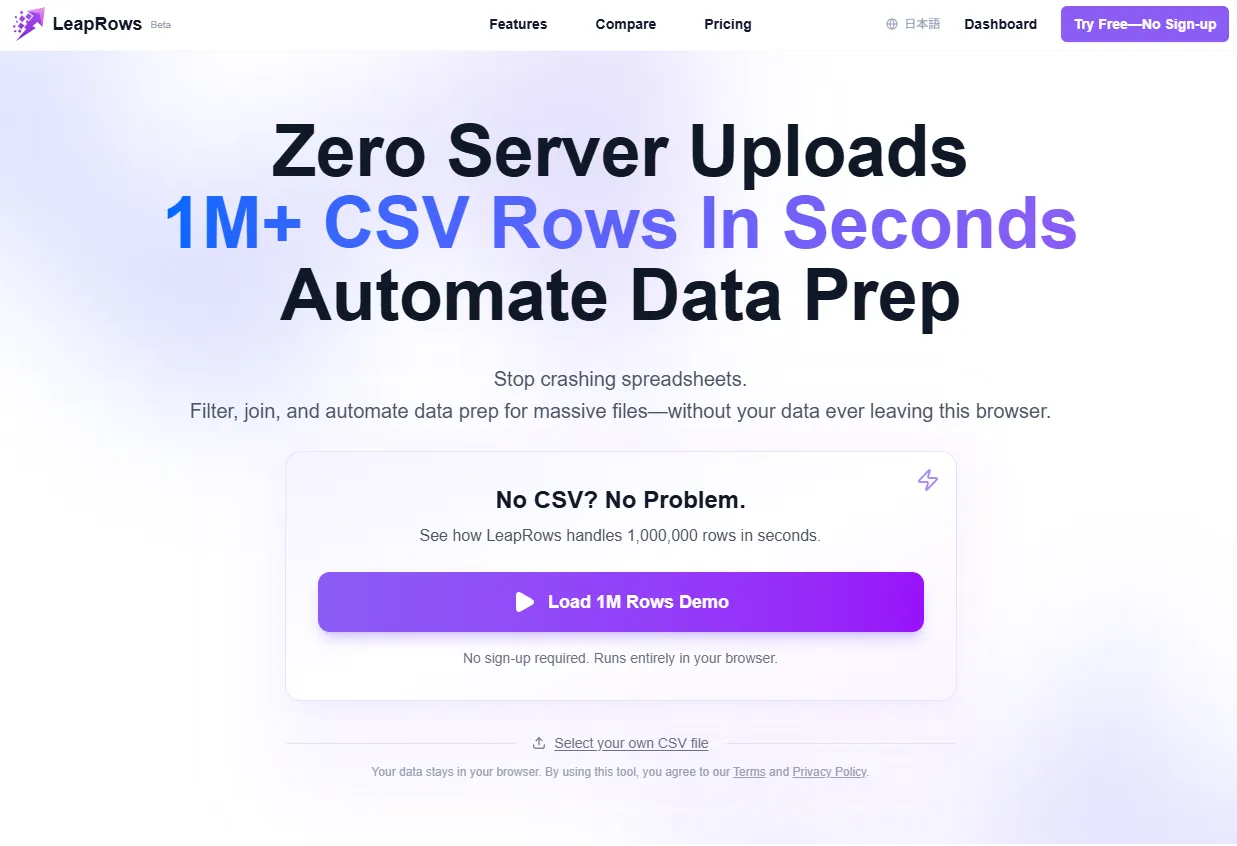
When choosing a browser-based converter, check whether your data is uploaded to a server. For files containing business data or personal information, local-processing tools are the safer choice.
Cloud ETL Service (AWS Glue, etc.)
For recurring conversions at scale, cloud ETL services are the practical option:
- AWS Glue: auto-converts CSVs on S3 with schema detection via Crawlers
- Azure Data Factory: copy activity from CSV source to Parquet sink
- Google Cloud Dataflow: Apache Beam-based pipelines
These are designed for tens of GB to TB-scale data with daily or weekly conversion schedules. For one-off conversions, Python or a browser tool is faster — convert locally and upload the Parquet to cloud storage.
Parquet's Weaknesses, When to Stay With CSV, and a Migration Checklist
Parquet is not a universal replacement for CSV. Understanding the trade-offs leads to better decisions.
Weaknesses: Binary Format and Column Name Gotchas
You can't eyeball the contents. Open a Parquet file in a text editor and you'll see garbled binary. The viewer tools described above solve this, but when sharing data with non-technical team members, CSV or Excel is still easier to hand off.
Special characters in column names cause trouble. Semicolons (;), parentheses (()), newlines, and tabs in column headers can cause errors during conversion or reading. Normalize column names to alphanumeric characters and underscores before converting.
Not built for row-level writes. Parquet is optimized for "write once, read many" workloads. If your use case involves frequent row-level INSERTs, UPDATEs, or DELETEs, an RDBMS or row-oriented storage is a better fit.
When CSV Is Fine
No need to migrate if any of the following apply:
- Data is a few thousand rows or less: both file size and processing speed are fine with CSV. The conversion overhead isn't worth it
- Primary use is sharing with non-engineers: CSV opens directly in Excel and Google Sheets, minimizing friction
- Frequent row-level CRUD: inventory management, order processing, and similar workflows where individual rows are regularly added, updated, or deleted
3 Signs You Should Migrate to Parquet
If even one of these applies, Parquet is worth evaluating:
- CSV files are hundreds of MB or larger — if loading a file takes tens of seconds, converting to Parquet alone will noticeably improve speed
- You frequently aggregate a few columns out of many — if you routinely query 3 columns out of 100, column pruning delivers outsized gains
- You use a cloud analytics platform (Athena, BigQuery, Databricks, etc.) — these services are optimized for Parquet, improving both scan costs and query speed
Summary
- Parquet is a columnar binary file format. Its three core advantages: read only the columns you need, compress efficiently, and preserve data types
- It's not a replacement for CSV — it's a complement. For small datasets or non-technical sharing, CSV is still the right choice
- Converting takes three lines in Python or a single drag-and-drop with a browser tool. The migration barrier is lower than most people expect
- The "can't see inside" problem is solved by Tad, DuckDB CLI, and VS Code extensions. Switching to Parquet doesn't mean losing visibility into your data